
A schedule the front desk gets on day one
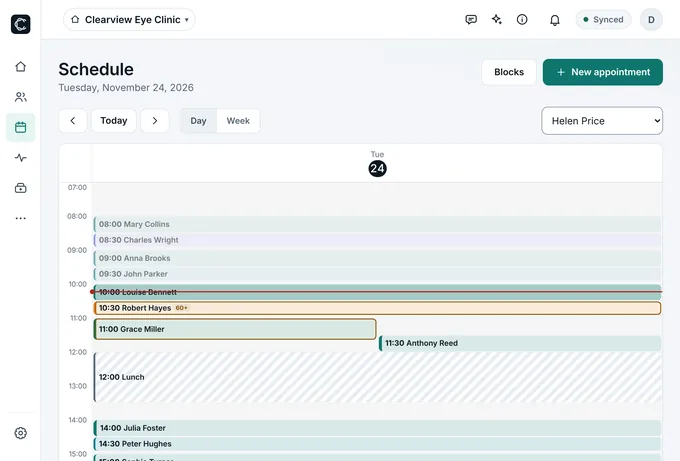
Day and week views, recurring appointments, lunch and holiday blocks, a waitlist and an arrival queue with priority. One tap calls the patient on the waiting-room TV.
Scheduling, charts, prescriptions, insurance billing and WhatsApp in one place — working even offline. Set it up yourself in minutes. 14-day free trial, no card needed.
Available today for clinics in Brazil. Mexico and other countries coming soon. Practicing in Brazil? Start free
SyncedNo internet · everything saved on this device
Celsor saves to your device first, encrypted, and sends it to the cloud right after. The schedule, today's patient charts, prescriptions and forms stay open when the connection drops — and everything uploads on its own when it's back.
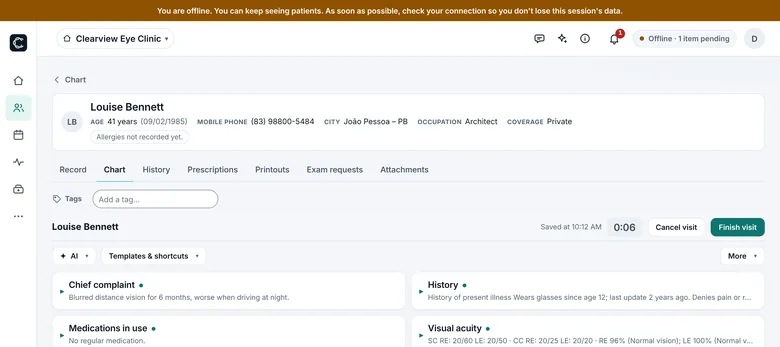
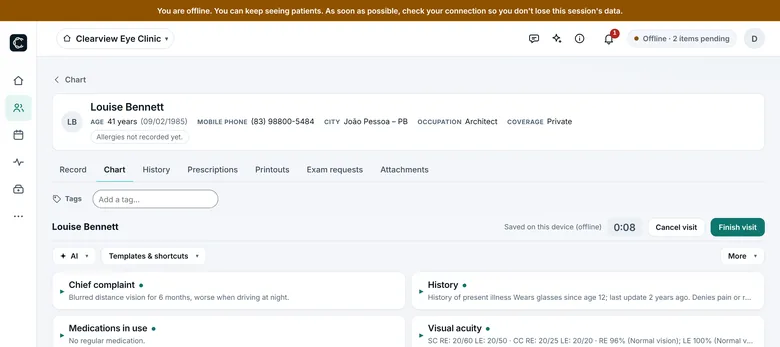
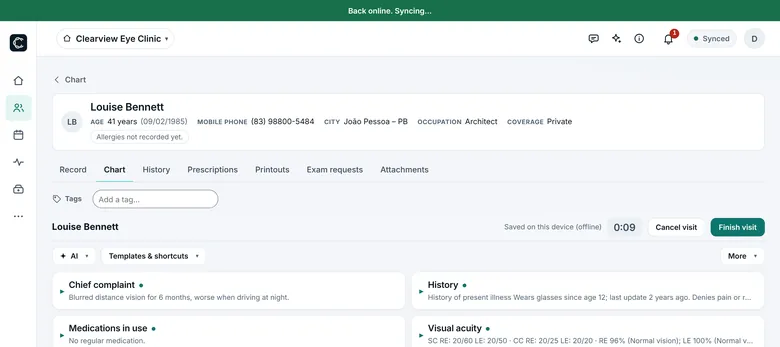
Systems that live 100% in the cloud stop when the connection drops. In Celsor, the cloud keeps the copy — the visit happens on your device.
Tap “Record visit” and talk to your patient as usual. Laennec, Celsor's clinical scribe, transcribes the conversation, fixes medical terms, drugs and tests from context, and puts each detail in the right chart field. You just review and insert.
Named after René Laennec, the physician who invented the stethoscope — and the art of listening to the patient.
Scores from 0 to 5. Celsor against the three most common kinds of practice software.
 Celsor | Competitor A | Competitor B | Competitor C | |
|---|---|---|---|---|
| Offline use | ★★★★★ | ★★★★★ | ★★★★★ | ★★★★★ |
| AI power | ★★★★★ | ★★★★★ | ★★★★★ | ★★★★★ |
| Auto-filled chart (no typing) | ★★★★★ | ★★★★★ | ★★★★★ | ★★★★★ |
| AI reports in seconds | ★★★★★ | ★★★★★ | ★★★★★ | ★★★★★ |
| AI prescriptions in seconds | ★★★★★ | ★★★★★ | ★★★★★ | ★★★★★ |
| Value for money | ★★★★★ | ★★★★★ | ★★★★★ | ★★★★★ |
A, B and C are kinds of software, not brands: A = cloud record without AI; B = cloud record plus a separate AI app (copy and paste); C = software installed on one computer, without AI. Scores follow those definitions. Installed software works offline, but only on that one computer.
“The internet went down and the visit stopped.”
In Celsor, the visit keeps going offline and syncs later. Nobody waits for the Wi‑Fi.
“Switching systems is scary.”
You upload your old system's export. Celsor shows what it understood, flags duplicate patients and saves nothing until you confirm.
“I don't have time for training.”
Celsor teaches itself: a getting-started guide, help on every screen and an assistant that answers right away.
Each feature below is a real Celsor screen with made-up data.
Day and week views, recurring appointments, lunch and holiday blocks, a waitlist and an arrival queue with priority. One tap calls the patient on the waiting-room TV.
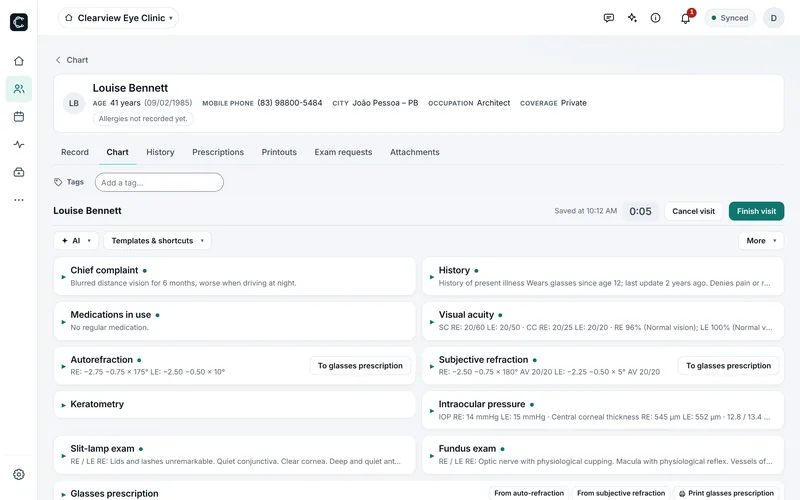
Templates for 34 specialties, blocks you switch on and off, text shortcuts (type /ret and the text appears) and each field's history one tap away. Calculators like PREVENT, CHA₂DS₂‑VASc, HAS‑BLED, RCRI and Glasgow inside the visit — and for eye care, refraction, pachymetry-corrected IOP and a glasses prescription in one click.
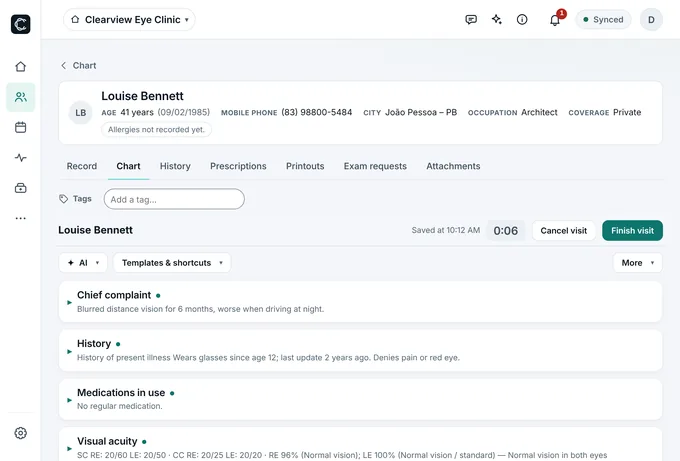
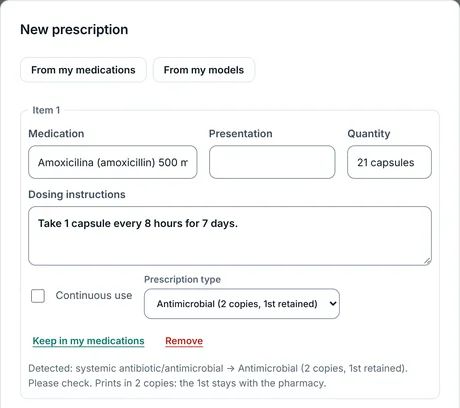
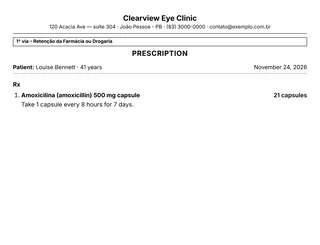
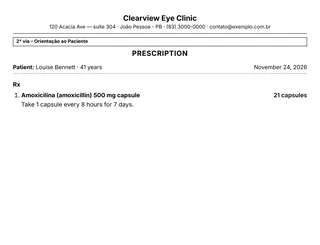
In Brazil: search the CMED/Anvisa drug database, with antibiotics and controlled drugs detected automatically and printed in 2 copies. Plus glasses prescriptions, medical certificates, reports with images and your signature on paper.
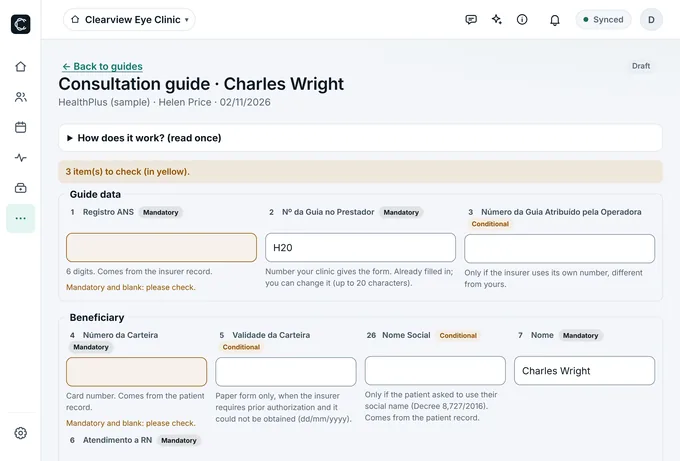
In Brazil, TISS consultation and SP/SADT claim forms with the TUSS code table, required fields checked before sending, XML batches, payer responses and denial tracking. Celsor also flags insured visits that still have no claim.
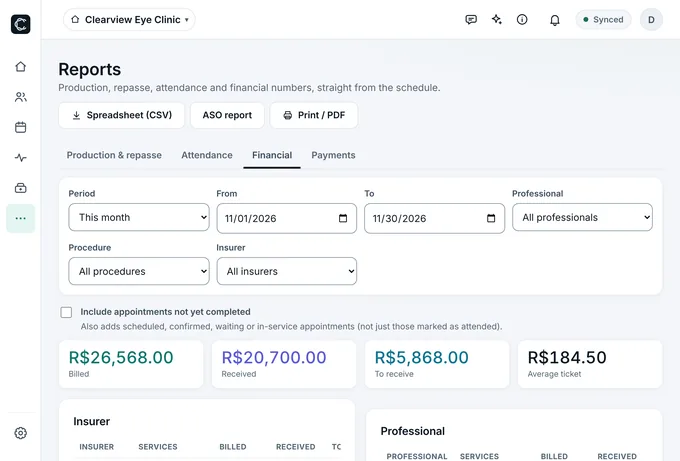
Payments by Pix, card, cash or transfer, accounts and cash box, per-professional payout rules, and production, visit and financial reports in CSV or PDF.
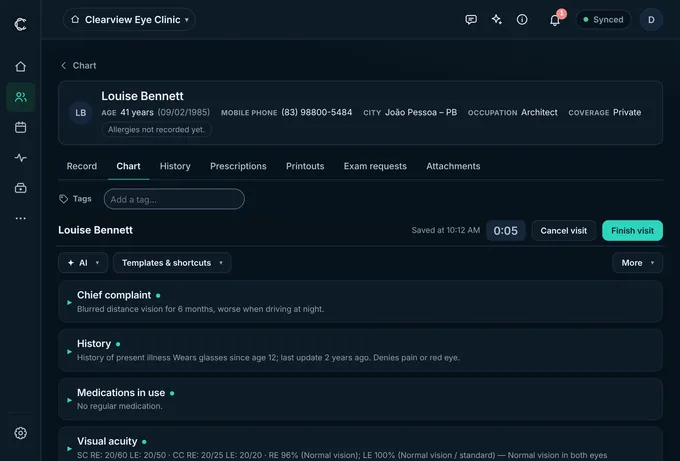
Light or dark theme, crisp type and everything in view without scrolling: each block folds into a one-line summary, and Celsor remembers how you like to see it.
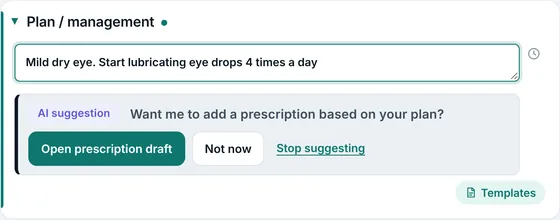
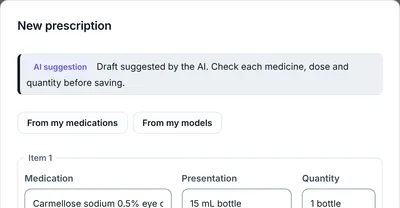
Everything the AI writes arrives as a draft labeled “AI suggestion”. Nothing goes into the chart or a prescription until you review and save it.
Galeno 4.5 engine on Pro, Vesalius 5 on Max.
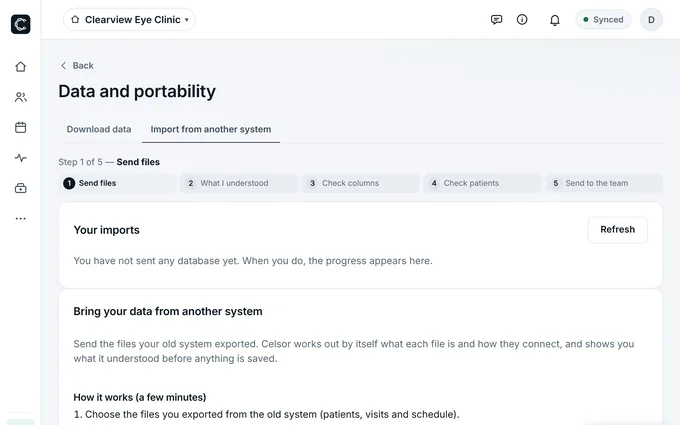
Upload whatever your current system exports: spreadsheets (CSV and Excel), dBase/FoxPro databases, SQL dumps, JSON or one ZIP with everything. Celsor recognizes formats from well-known systems, shows what it understood before saving and checks for duplicate patients.
What's kept for offline use is encrypted (AES‑256) in the browser itself.
Lock the device with a PIN. In shared-computer mode, nothing is kept.
Data is separated by clinic; a user only reaches the clinic they were added to.
Sign-ins, prints and exports are logged.
Visit recording only with consent recorded on the patient's file. The clinic confirms it informs patients about AI use.
Read the Terms of use and the Privacy policy (in Portuguese).
You pay per healthcare professional, with no fixed clinic fee. Front-desk staff are free. Each additional professional costs less.
All of Celsor, with Galeno 4.5 AI
R$ 199R$ 1.990/mo/yr
for the 1st professional · prices for Brazil
Next professionals
Everything in Pro, stronger AI and multiple locations
R$ 299R$ 2.990/mo/yr
for the 1st professional · prices for Brazil
Next professionals
AI and WhatsApp allowances included; any overage shows on the invoice.
Doctors, dentists, psychologists, physical therapists… Front-desk staff don't count.
Start with everything in Max for 14 days, no card. Pick a plan only if you like it.
I see patients every day, and I got tired of watching visits stop because the internet went down or the system was too hard to use. I built Celsor to work the way a practice works: fast, independent of the connection, and with no need to call support.
Yes. Everything you save goes to your device first, encrypted, and uploads to the cloud as soon as there's a connection. The schedule and today's patient charts are kept on the device, so you see patients and print prescriptions and forms with no internet. Signing in on a new device for the first time, or using AI and WhatsApp, needs a connection.
In Google's cloud (Firebase / Google Cloud), separated by clinic, plus an encrypted copy on the device for offline use. Details are in the Privacy policy (in Portuguese).
No. Celsor runs in the browser. If you like, install it as an app on your computer, tablet or phone straight from the browser, no app store.
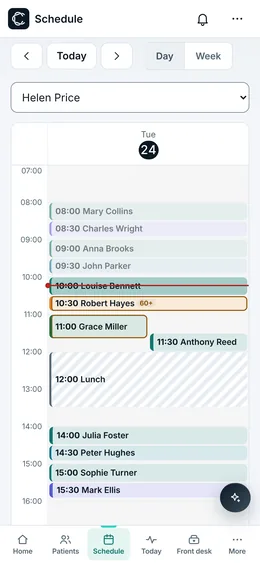
Yes. Screens are built for small displays too: scheduling, front desk and charts work on a phone with the navigation bar at the bottom.
Yes. Upload your old system's export (spreadsheets, dBase/FoxPro databases, SQL dumps, JSON or ZIP). Celsor shows what it understood, flags duplicate patients and saves nothing until you confirm.
You get 14 days with everything in Max, no credit card. When it ends, pick Pro or Max and add payment only if you want to continue.
No contract. Cancel whenever you want, on your own, in Settings › Subscription. Access continues until the end of the period you've paid for, and you can download all your data.
No. Pricing is per healthcare professional. Front-desk staff are included at no cost.
In Brazil, yes: TISS consultation and SP/SADT claim forms, the TUSS code table, required-field checks, XML batches, payer responses and denial tracking.
Celsor includes chart templates for 34 specialties — from internal medicine and pediatrics to psychology, physical therapy, dentistry and occupational health — and you can build your own from any blocks you like. Eye care has dedicated tools such as refraction and glasses prescriptions.
No. The AI only suggests: the text arrives labeled “AI suggestion” and nothing is saved until you review it. Recording a visit requires the patient's consent on file.
Create your account in minutes. 14 days with everything in Max, no card.
Available today for clinics in Brazil. Mexico and other countries coming soon. Practicing in Brazil? Start free